
















HR & payroll system for Japanese companies in Vietnam

EST

Attendance, payroll, HR.
All connected in one.

From time clocking, requests and approvals, attendance closing and payroll to social insurance and performance reviews. EST manages HR and payroll for Japanese companies in Vietnam in one system.

  • Vietnamese social insurance and personal income tax
  • Japanese, Vietnamese and English
  • Cloud or your own server
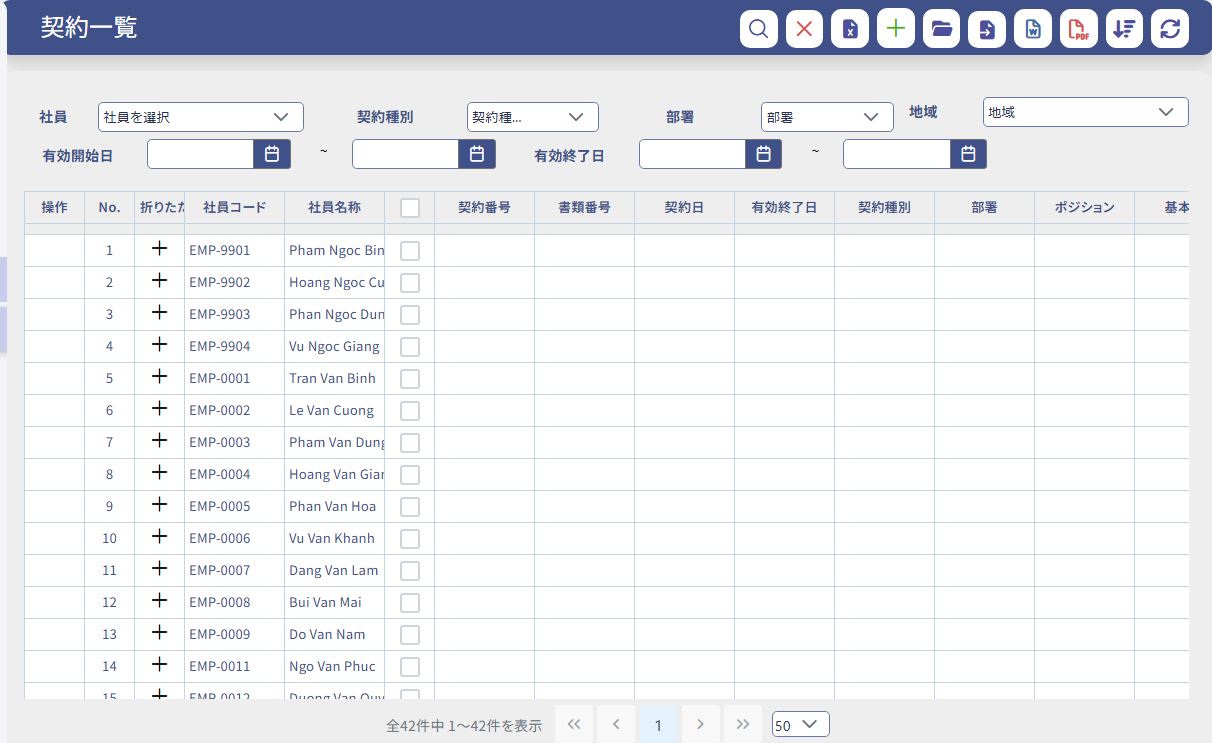
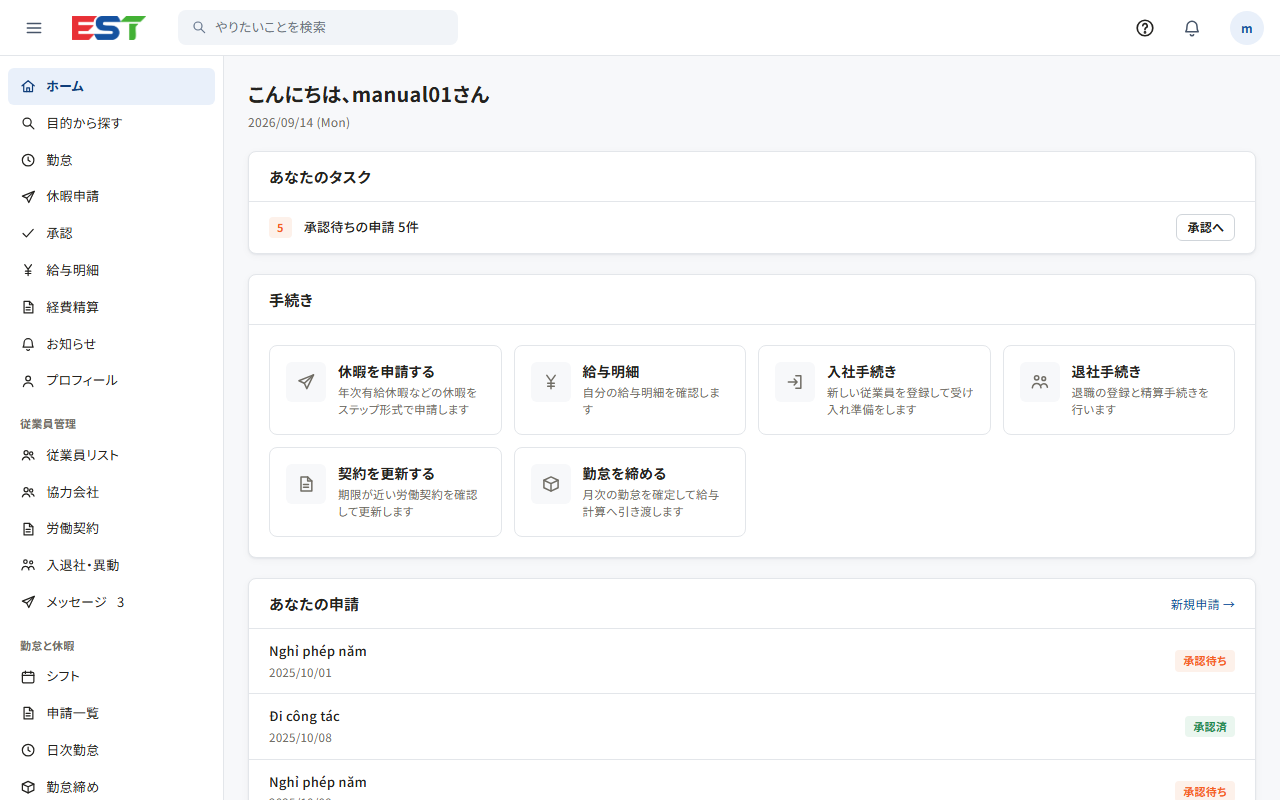
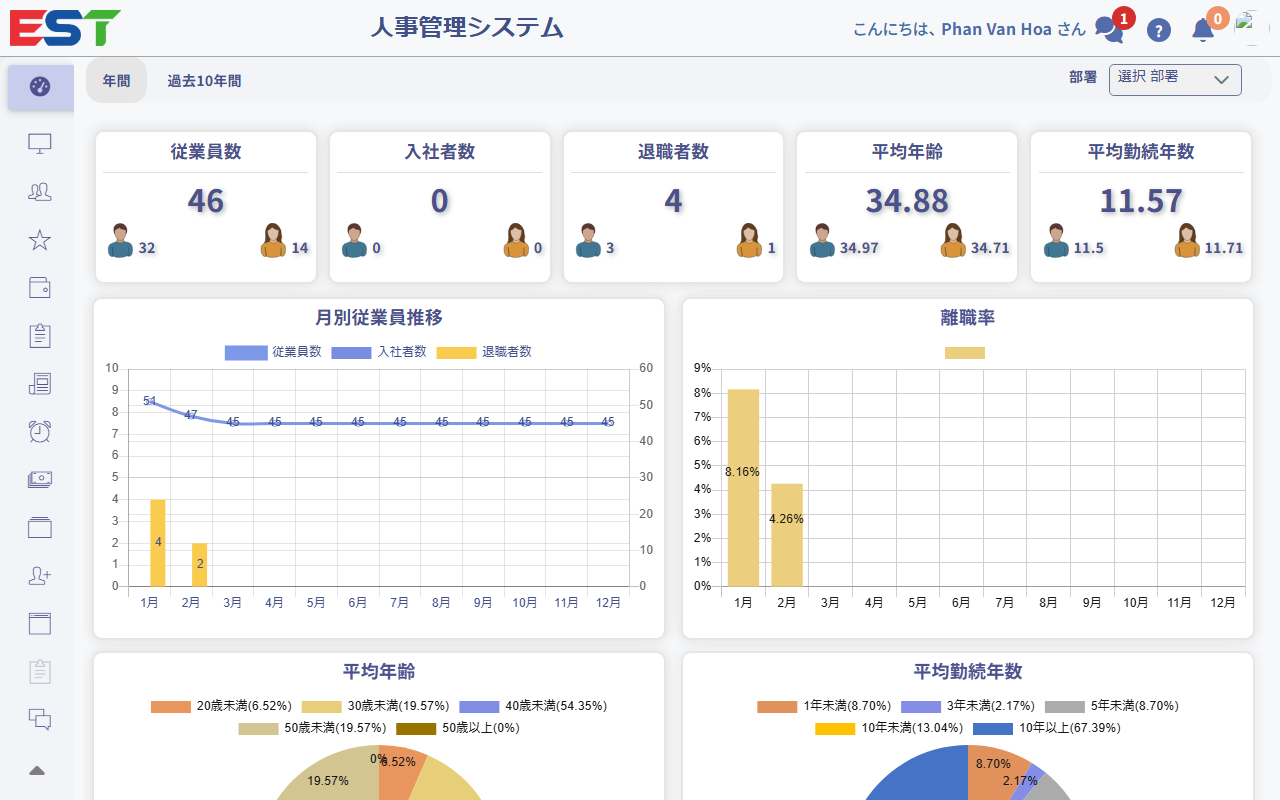
EST admin screen (dashboard)
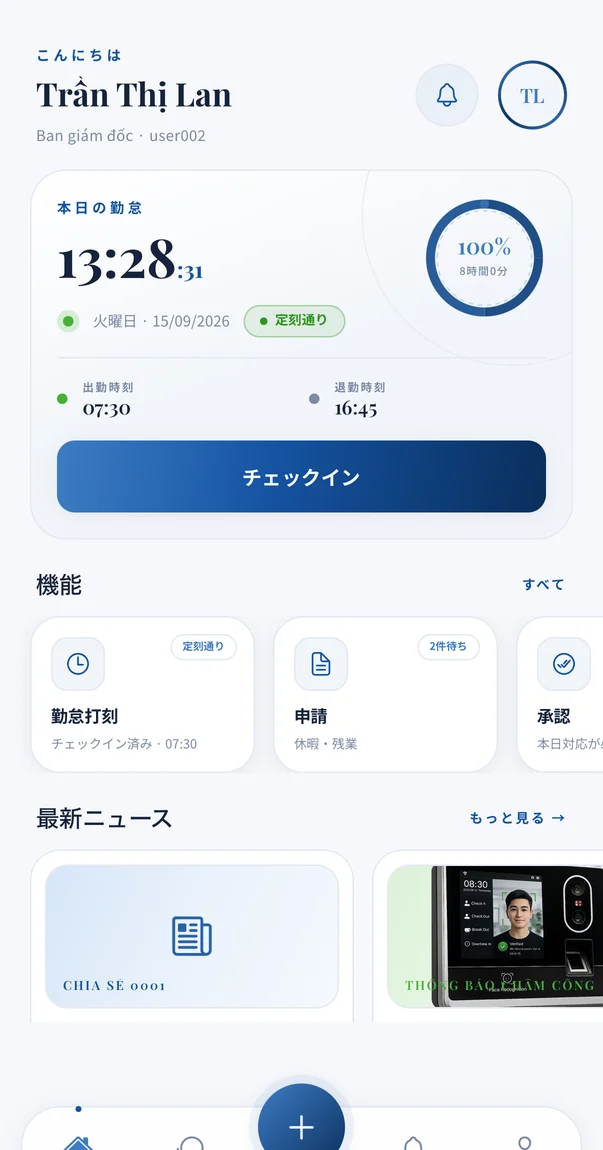
Mobile app home screen with today’s attendance and the check-in button
  • Up to 42%less time on payroll
  • 89%fewer data entry errors
  • 67%lower paper and printing costs
  • 2–6 monthsto go live

Results from actual projects. They are not a guarantee of results.

From time clocking to reports for head office, in one flow

Your monthly HR and payroll work stays connected, without moving to Excel along the way.

  1. Time clocking

    Import from time clocks, entry gates and smartphones

  2. Requests & approval

    Leave, overtime and missed punches requested from a phone

  3. Attendance closing

    Check mismatches between punches and requests, then close

  4. Payroll

    Calculate insurance, personal income tax and allowances

  5. Payslips & reports

    Send payslips and export reports for head office

The problems EST solves

Do any of these sound familiar in your HR work in Vietnam?

  • The payroll Excel file is so complex only its creator can fix it

    EST holds the calculation rules for allowances, insurance and tax. Anyone in charge follows the same steps and gets the same result.

  • Attendance totals are copied into the payroll sheet by hand

    Closed attendance becomes the payroll input as it is. No more copying or double entry.

  • Monthly reports to head office in Japan take several days

    EST exports monthly and annual payroll totals and headcount reports to Excel. Matching your head office format is handled through customization.

  • Formulas need fixing every time insurance rates or the minimum wage change

    Rates, deductions and tax tables are managed on the settings screen. When the law changes, we tell you what changed and what to set.

  • Requests from the floor arrive on paper and in chats

    Employees submit requests from their own phone or browser, and they reach the approver. Approval records are kept.

  • Evaluation criteria are lost when expatriate managers change

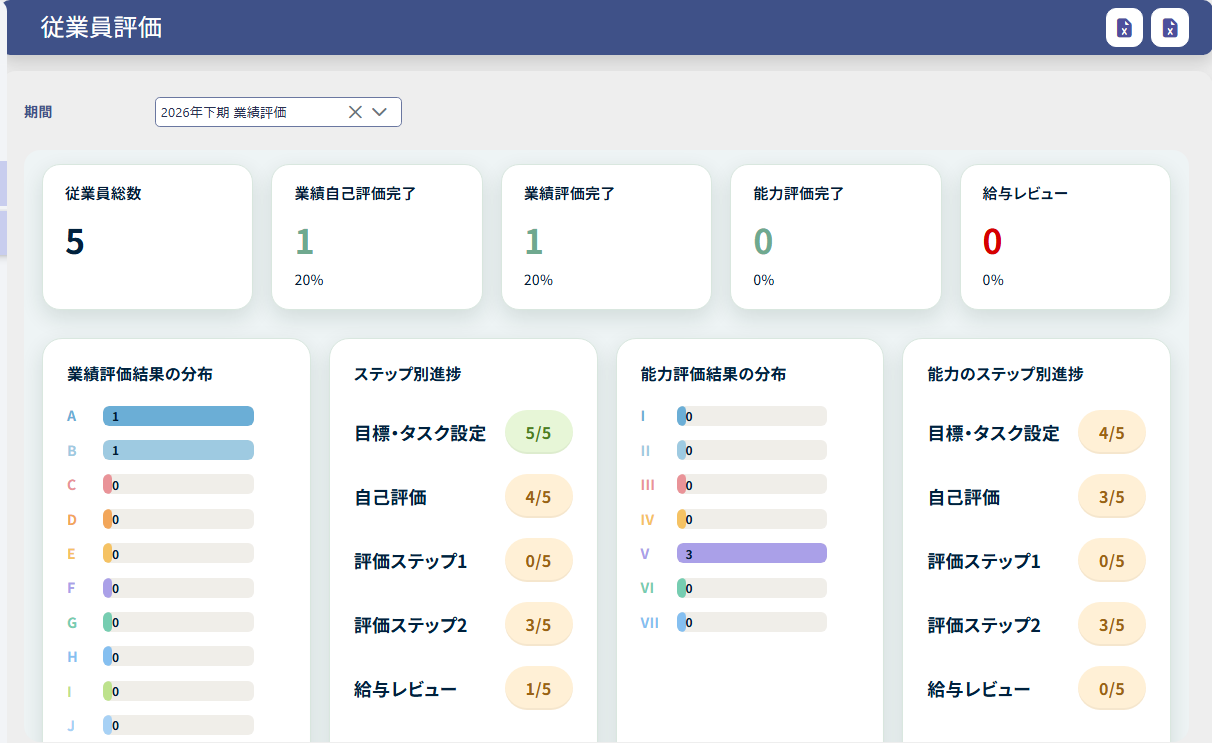
    Evaluation sheets and results are stored in the system, so your successor can keep evaluating by the same criteria.

EST can solve
these problems.

Why companies choose EST

EST supports HR at Japanese companies in Vietnam, from attendance and payroll to evaluations and expenses.

  • Total support, down to evaluations and expenses, built around Japanese business practices

    Not just attendance and payroll: goal setting through final evaluations, bonus and pay raise reviews, multi-level approvals, expense and corporate card requests, and reports for head office. One system that fits how Japanese companies work, with screens and support in Japanese.

    • Goals, evaluations and bonus reviews
    • Approvals with any number of levels
    • Expense and corporate card requests
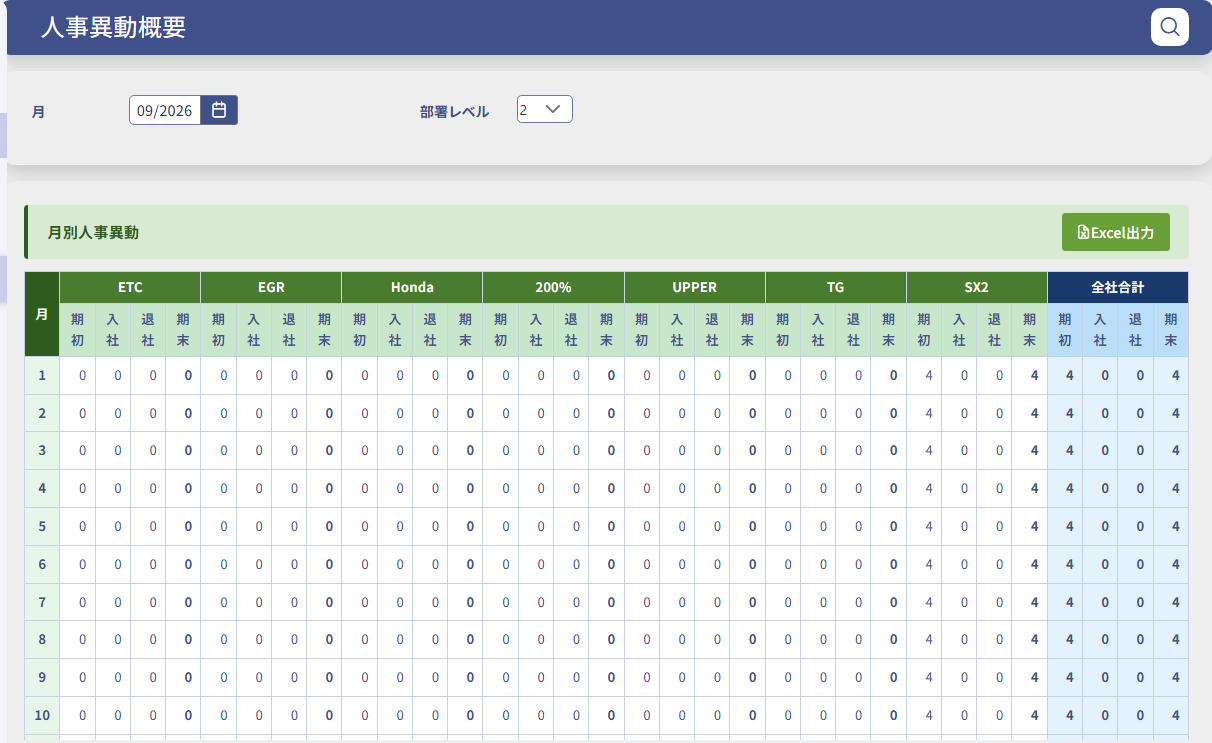
    • Excel reports for head office
    • Screens and support in Japanese
  • Complex approval workflows, as they are

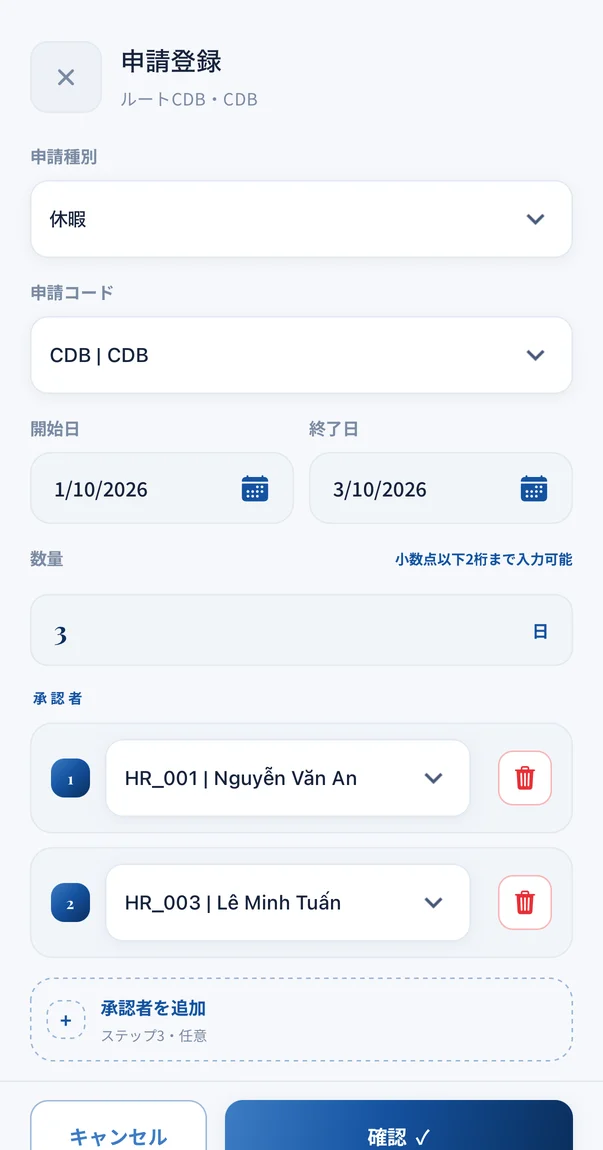
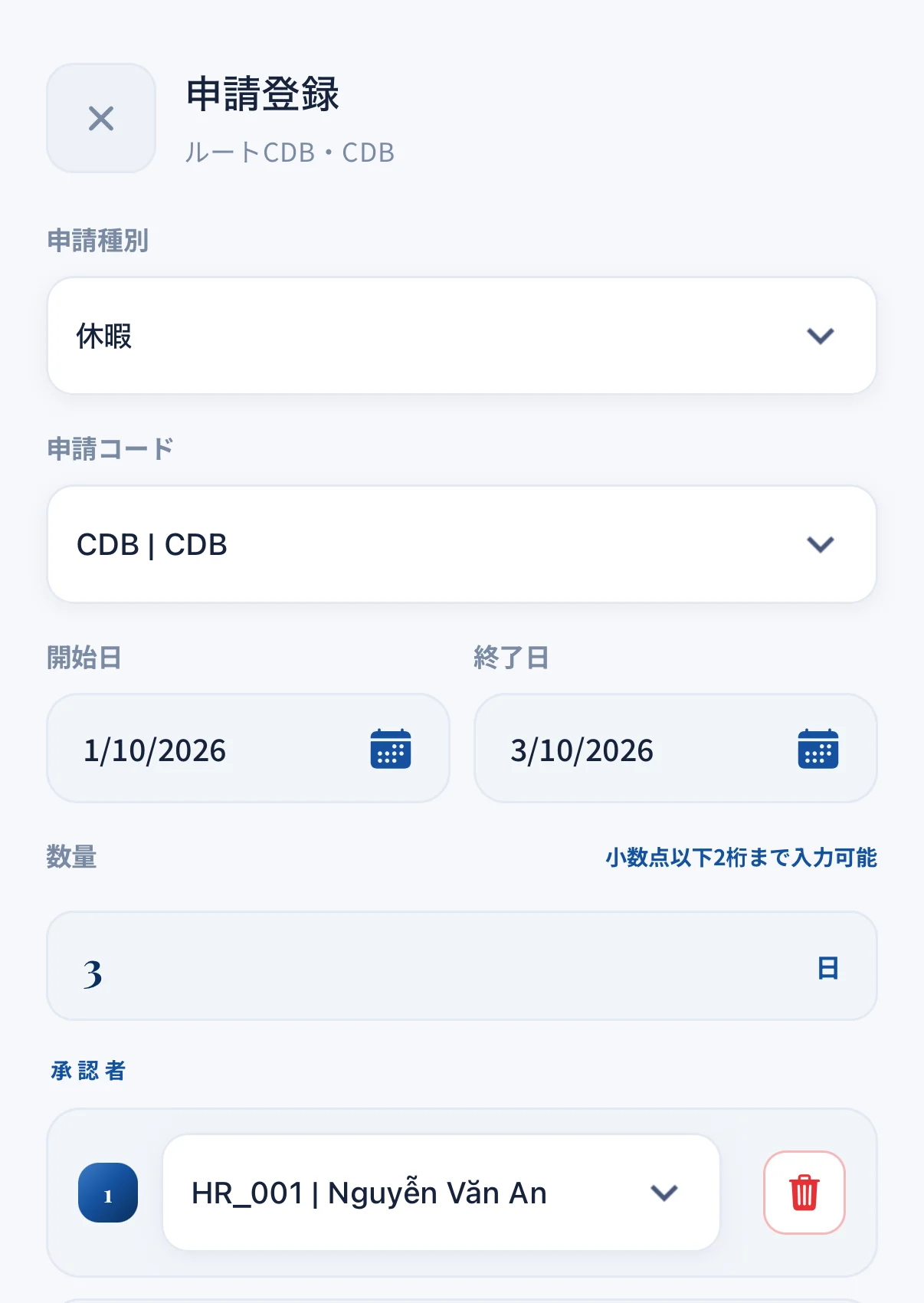
    Set approval routes by request type and by employee, with as many approval levels as you need. You can add approvers outside the set route and record reasons for sending requests back. Pending approvals are notified.

    • Routes by request type
    • Any number of approval levels
    • Add approvers, send back
  • GPS time clocking from approved locations only

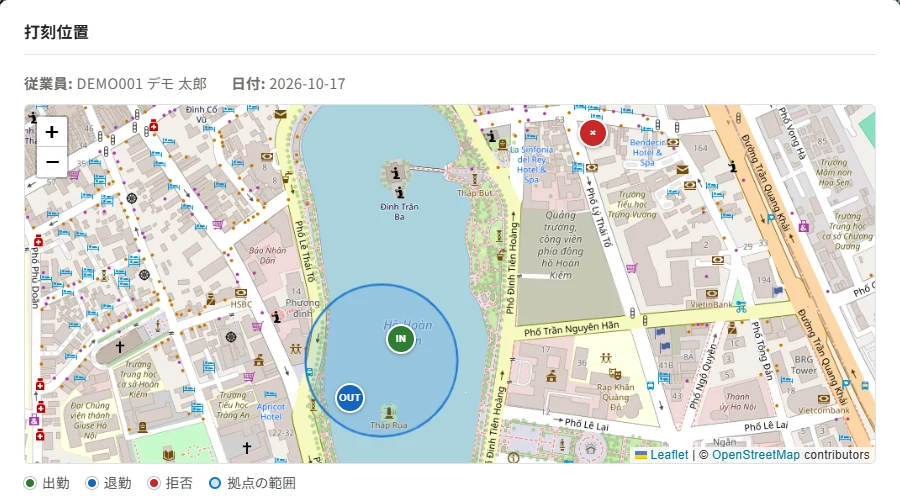
    Register approved sites and their range on a map, and block punches from outside the range or with faked locations. Punch locations can be checked on a map from the attendance details.

    • Register sites and range on a map
    • Block out-of-range punches
    • See punch locations on a map
  • Flexible working, straight into attendance

    Supports requests and approvals for flexible shifts and requests for missed punches. Time short due to late arrival or early leave can be covered with paid leave, and the in-app manual explains how.

    • Flexible shift requests
    • Cover shortfalls with paid leave
    • In-app manual
  • Announcements and chat that reach everyone

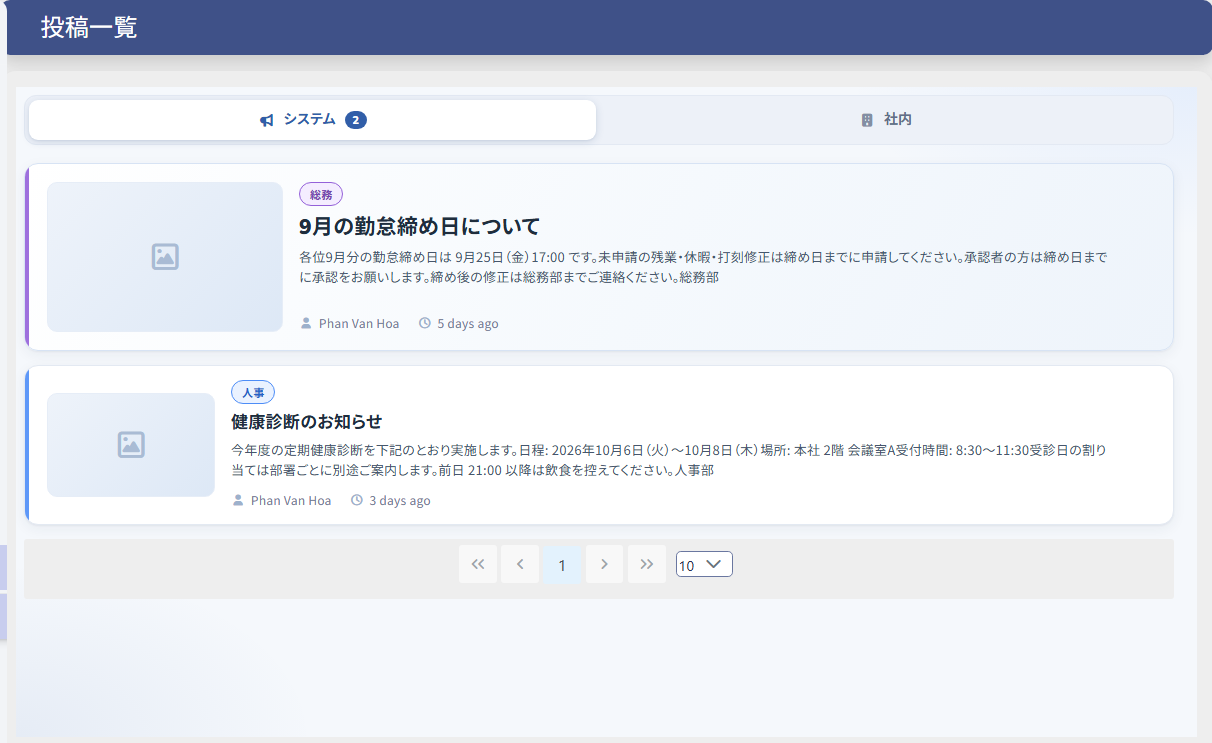
    Publish company-wide and HR announcements with drafts, scheduled publishing and pinning. Employees read them on the web and on their phones, so there is no need for paper notices or Zalo groups. One-to-one chat between HR and employees is also available.

    • Scheduled and pinned announcements
    • HR chat
    • Mobile notifications
  • Payroll for expatriates and seconded staff

    Combine salaries paid in Japan and in Vietnam and export them for Vietnamese personal income tax. Contracts in foreign currency are converted using exchange rates imported daily from VCB.

    • Combine Japan and Vietnam pay
    • Export for personal income tax
    • Converted at VCB rates
  • Built for factory shift work and time clocks

    Supports two- and three-shift rotations and automatic import from fingerprint and face recognition time clocks and entry gates. Lockers, shoe racks and uniform distribution can also be managed.

    • Two- and three-shift rotations
    • Automatic time clock and gate import
    • Lockers and uniforms

Fits the way your company works

Whatever your industry, size or work style, settings and customization fit EST to your company.

Key features

One system for the monthly work of HR and payroll.

Attendance

From time clocking, shifts and leave and overtime requests to monthly closing.

  • Time clock and gate import
  • Two- and three-shift rotations
  • Flexible working
  • Paid leave grants and carry-over
  • Monthly attendance closing
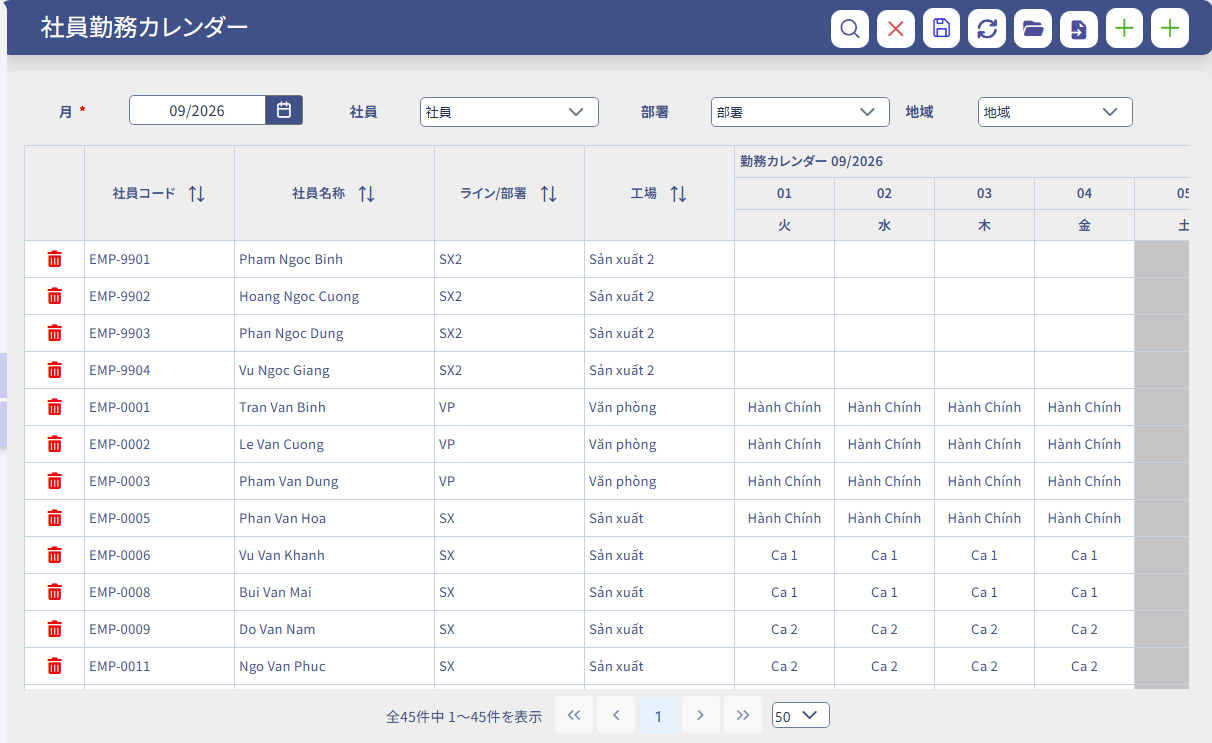
Employee work calendar (shift) screen
Option: HR Insight

Spot signs of turnover and burnout early

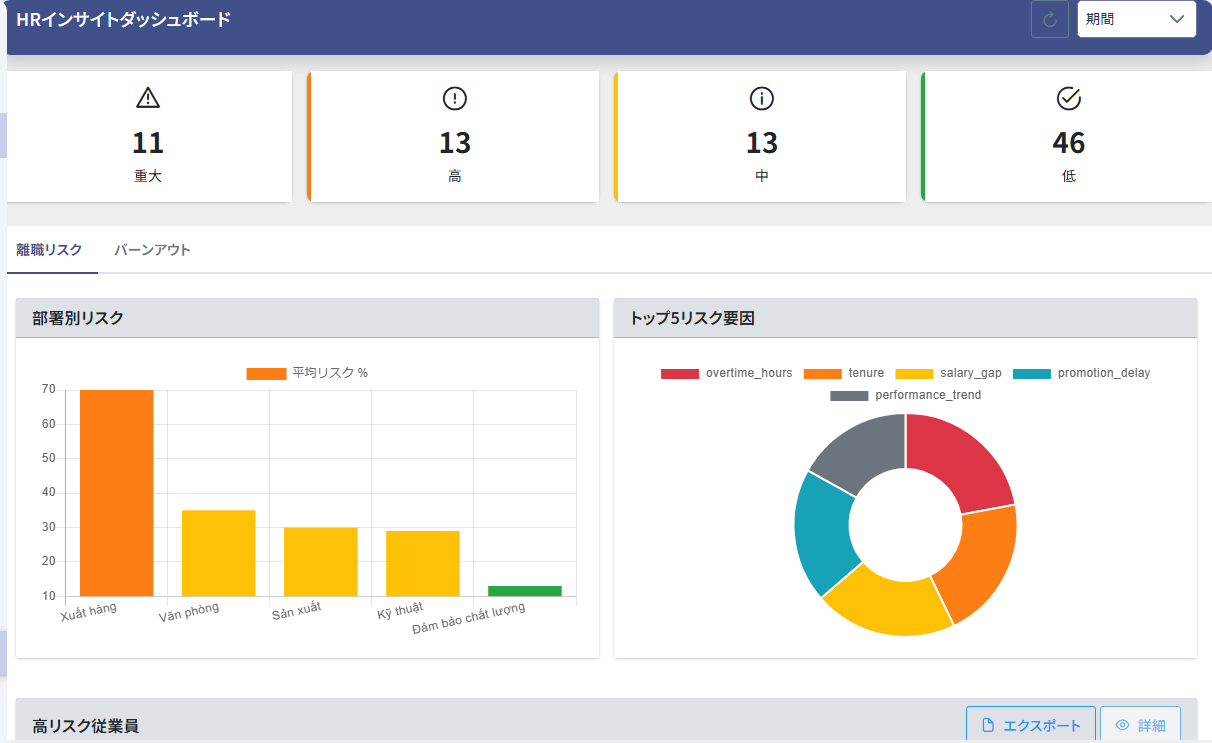
Predicts the risk of turnover and signs of burnout by department and by employee from attendance and evaluation data, so you notice people who may leave or are overworking sooner.

  • Predicts turnover risk per employee as critical, high, medium or low
  • Analyzes signs of burnout from weekend work, overtime and more
  • Compares risk by department
  • Shows the top five risk factors
  • Lists high-risk employees, with CSV export
HR Insight dashboard: headcount by risk level, risk by department and the top five risk factors

* HR Insight is an option (charged separately).

Employees do it themselves with the mobile app

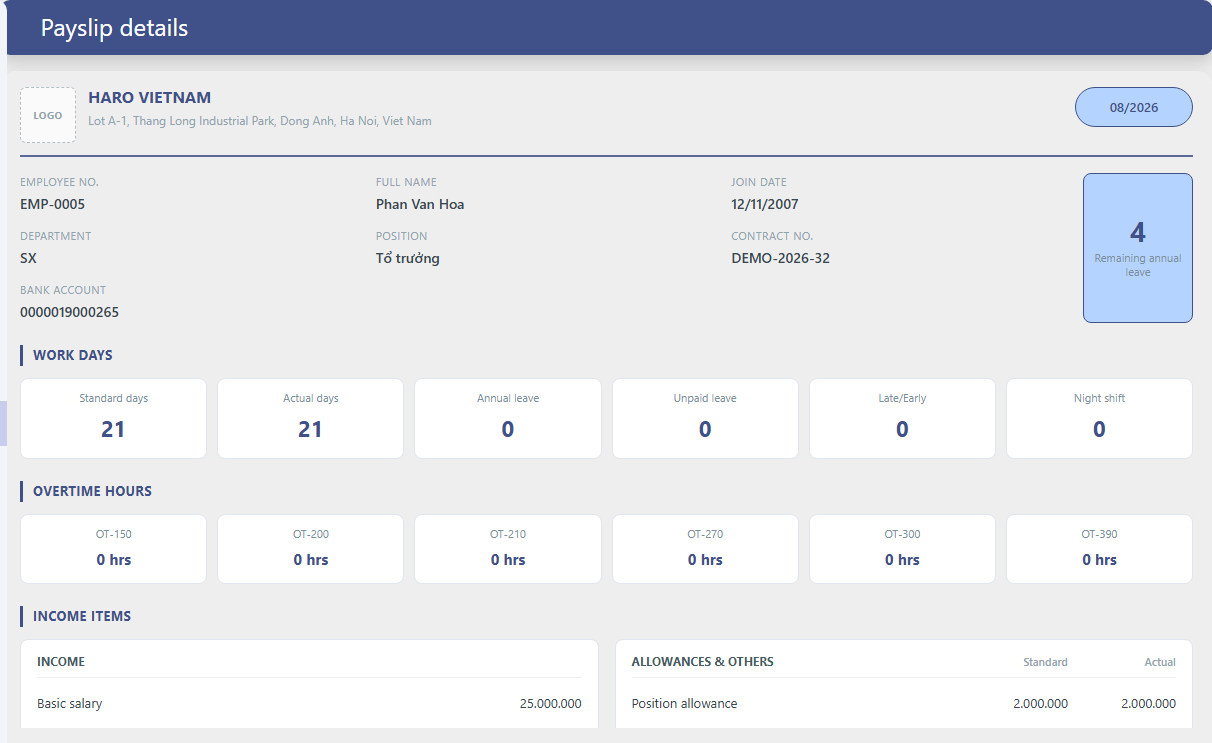
Employees clock in, request leave and overtime, and check payslips on their own phones. Fewer questions to HR and less paperwork.

  • Check-in and check-out (GPS time clocking supported)
  • Leave, overtime and missed punch requests, and approvals
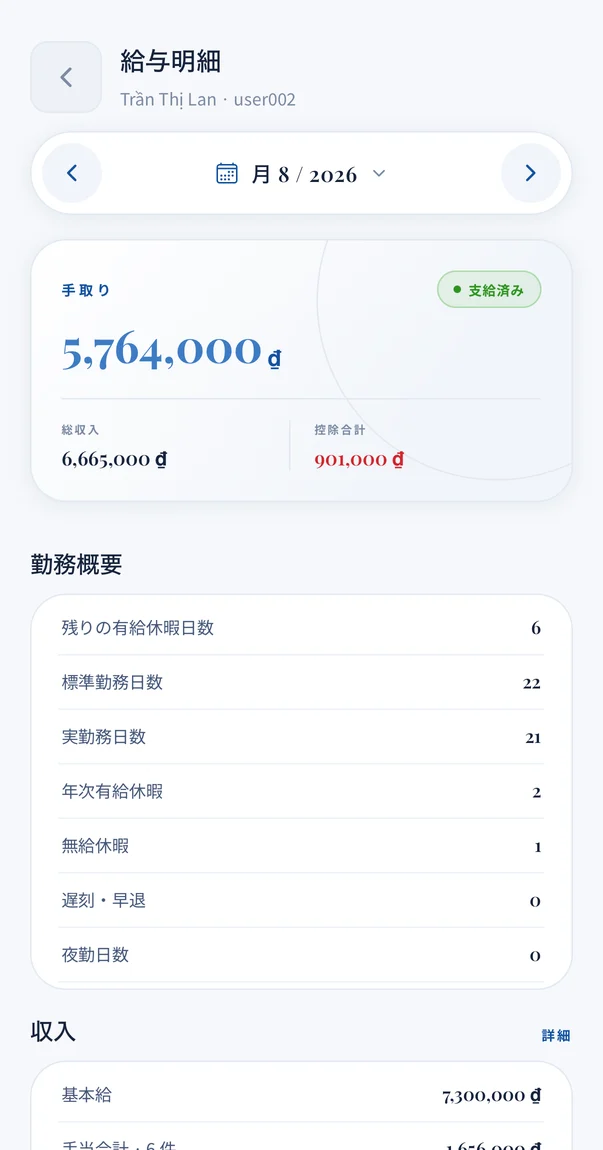
  • Payslips, attendance and calendar
  • Announcements, chat with HR and mobile notifications
  • Language and screen colors per user

iOS & Android

Fit your own rules with settings

Each company’s work rules and pay regulations are reflected through on-screen settings. What the standard settings cannot cover is handled through customization.

  • Basic payroll rulesClosing and pay dates, rounding, regional minimum wage, deductions and union fee rate
  • Overtime limitsSet limits per day, month and year, and block requests over them
  • Paid leaveCarry-over limits and prorated grants in the joining month
  • Request typesCalculation unit, paid or unpaid, monthly limits and overtime premium rates
  • AllowancesWhich of insurance, union fees, overtime, income tax and bonus they affect, and tax-free amounts
  • Approval flowsAny number of levels, with different routes per employee
  • Company calendarSet company holidays and block leave requests on them
  • Screen wordingAdministrators can rewrite the wording shown on screens

Security and hosting

Authentication, permissions and records that let you operate in line with your head office’s information security policy.

Authentication

  • Two-factor authentication (one-time password by email)
  • Account lock after repeated failed logins
  • Passwords stored in an irreversible form
  • A login from another location ends the previous session

Permissions

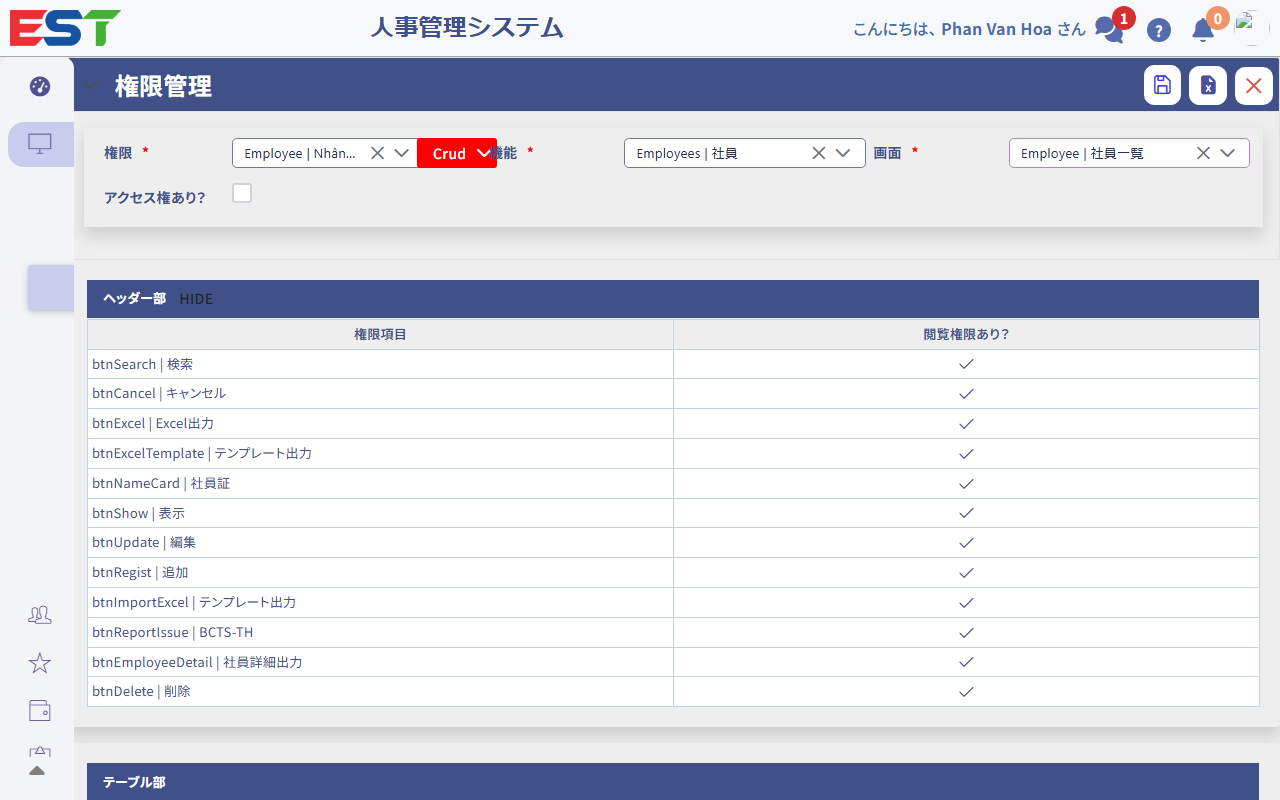
  • Permission settings per role
  • Control down to screens, buttons and fields
  • Salaries and similar data shown only to authorized users
  • Data separated per company

Records and data

  • History of requests, approvals and closings kept
  • All communication encrypted
  • Considers Vietnam’s Personal Data Protection Decree (13/2023)
  • All data can be exported to Excel

Cloud

Runs on a cloud server we arrange. No server to buy or maintain; we handle backups and monitoring.

On-premises

We set it up on your own server, so HR and payroll data never leaves your company.

Source IP restrictions, WAF and similar measures are available as environment options.

Customer cases

Results from actual projects. They are not a guarantee of results.

Telecom equipment manufacturing

89%fewer data entry errors

Paper and printing costs also cut by 67%

Attendance and payroll were kept in separate Excel files, and every transfer needed checking. EST connected everything from time clock data import to payroll and removed manual entry.

Implementation: 4 months

Food manufacturing

42%less time on payroll

Closed attendance goes straight into payroll

Month-end payroll took several days, with many corrections after closing. Closed attendance now flows directly into payroll, and allowances, insurance and tax are calculated automatically.

Implementation: 2 months

Logistics

5 monthsto go live

Less paper and fewer manual checks

After organizing work patterns and allowance rules in a Fit & Gap analysis, the company moved through setup, data registration and a trial run. Requests and approvals are now in the system.

Implementation: 5 months

Electrical products manufacturing

2 monthsto go live

No more manual totaling

Data from existing time clocks is imported, and everything from attendance totals to payroll is automated. With clear requirements, the company went live in two months.

Implementation: 2 months

See features, screens and pricing together in the brochure

The product brochure (PDF) is available right after you submit the form.

Download the brochure (free)

Pricing

Choose a one-time license or a monthly plan. Both are priced by number of employees, and all features are included.

On-premises

One-time license

  • License fee based on number of employees
  • We set it up on your own server
  • No maintenance fee in the first year
  • Annual maintenance from the second year (incident response, inquiries, notices of legal changes)
Cloud

Monthly

  • Monthly fee based on number of employees
  • Runs on a cloud server we arrange
  • Maintenance and standard support included
  • Start with a lower initial cost

Employee bands range from under 30 to 3,000 or more. Initial implementation costs (Fit & Gap analysis, initial setup, data registration support and training) are separate. We provide prices in a quotation.

Request a quote

FAQ

Can we move from our current Excel payroll?

Yes. Employees, labor contracts, allowances and leave balances can be registered in bulk with Excel templates. We check your current calculation rules in a Fit & Gap analysis and compare results with your current payroll before going live.

How long does implementation take?

Past projects have taken 2–6 months, depending on the number of employees and the complexity of allowances and shifts. You can also start with attendance and extend to payroll the following month.

How do you handle changes in the law or insurance rates?

Rates, deductions and tax tables are managed on the settings screen. When the law changes, we tell you what changed and what to set. If the calculation method itself changes, we handle it with a system update.

Can Vietnamese staff use it?

Yes. Each user can choose Japanese, Vietnamese or English (the web screens also support Korean). Staff on the floor can submit requests and check payslips in Vietnamese from a phone or browser.

Can we use data from our current time clocks or attendance system?

Data from fingerprint, face recognition and IC card time clocks can be imported. Syncing from other attendance systems is also possible (please ask about supported manufacturers). Without time clocks, employees can clock in from a phone or browser.

What reports can it produce?

Attendance records, wage ledgers, employee registers, payslips, social insurance change reports, and monthly and annual payroll totals can be exported to Excel. Reports in your head office’s format are handled through customization.

Can our head office in Japan see the data?

Yes. Because EST runs in a web browser, head office users can view dashboards and reports once permissions are set. Salaries and similar data are shown only to authorized users.

How small or large a company can use it?

Pricing is set by employee band, from under 30 to 3,000 or more employees.

Where is the data stored?

The cloud version stores data on a cloud server we arrange; the on-premises version stores it on your own server. All data can be exported to Excel when your contract ends.

Is support available in Japanese?

Yes. The developer provides support directly in Japanese and Vietnamese.

Start with the brochure to see all of EST

We send a brochure covering the feature list, monthly work shown on screens, pricing and the implementation process. You are also welcome to try the demo environment or ask whether EST fits your pay regulations.